eScive: next level controls for your electric scooter
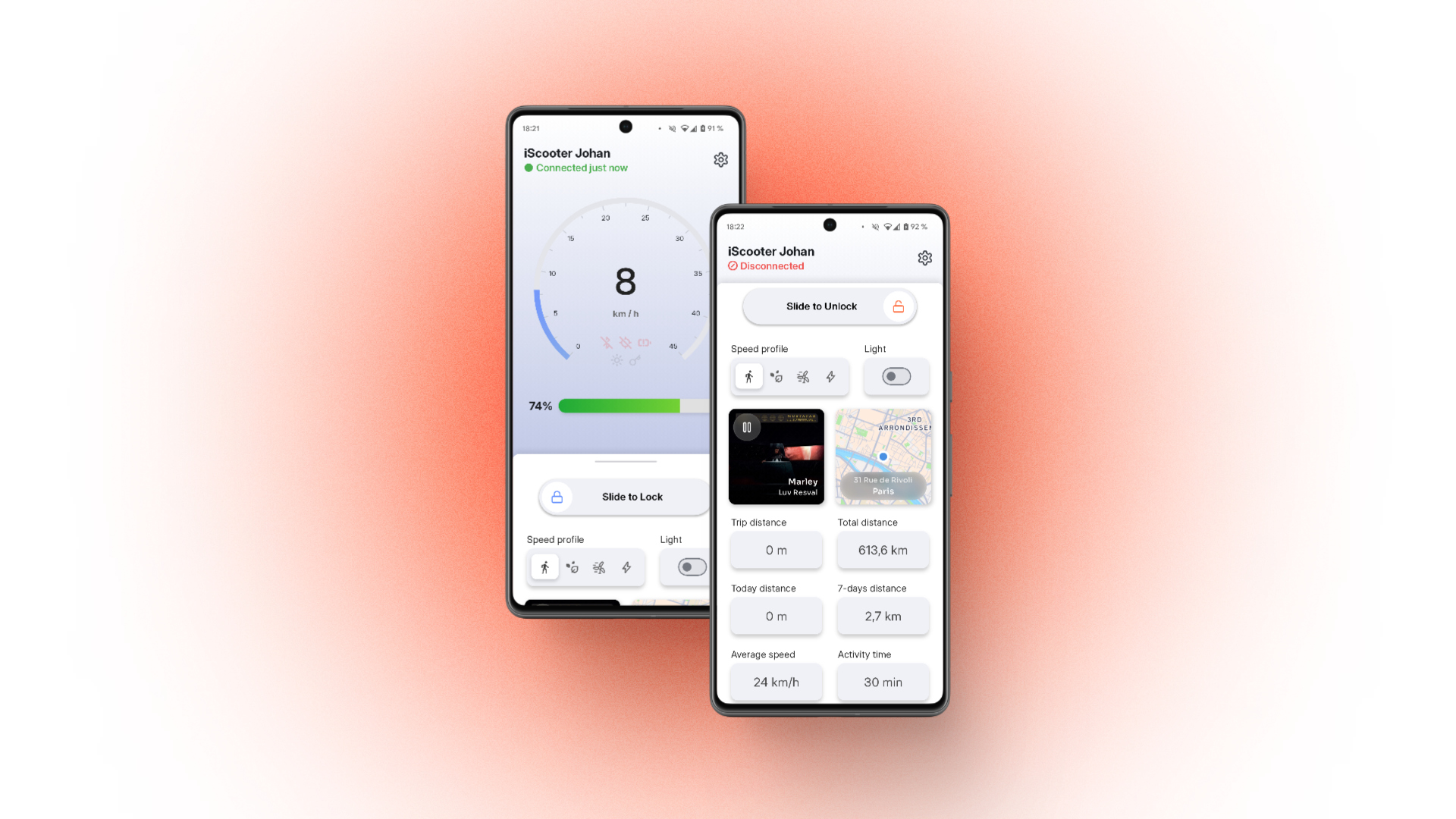
The eScive app is now available! It offers a better experience for users of electric scooters from certain brands with Bluetooth capabilities. It replaces official apps by offering more features in a better interface, with no tracking and no ads.
Download for Android
Download for iOS
Download the app
#Since this type of app doesn't attract enough users (possibly due to the small number of supported brands for now, and perhaps being a bit too niche), the Google Play Store team has rejected the app's publication twice. As for Apple, the publishing fees are far too high for a project of this kind. However, you can still use it on Android via an APK file, and on iOS by following a few quite complex steps using sideloading tools and eScive's installation file (IPA).
Sideload an app on iOS
Feb 15, 2026
It is possible to install apps on an iPhone even when they are not available on the App Store, using an .ipa installation file provided by the developer or a third party. Here, we'll cover different methods to install these apps on your phone.
Compatibility
#For now, eScive is only compatible with the "i10" range from iScooter (no affiliation, I just couldn't stand the official app anymore). Since the code was designed with easy addition of other models in mind, the list of supported devices may grow over time.
It is possible to develop your own "bridges" to connect a device to the app via Bluetooth, as long as you're motivated enough to do some reverse engineering.
Context / motivation, features
#When designing eScive, I wanted to offer myself and other users a much more convenient experience than any official app provides.
First, the app is built to be used very briefly: open it for a moment to check the stats from your last ride, or to unlock your scooter.
But it's also designed to stay on screen throughout a ride, when your phone is mounted on the handlebars: the main display includes a real-time speedometer, a map of the surroundings, and details about the currently playing music (on Android). Landscape mode can display everything on screen without any interaction, to minimize distractions.
To save you as much time as possible, eScive opens and connects to your device quickly, while letting you configure multiple devices. To go even further, I've integrated tools to make it easier to create automations and shortcuts, speeding up every interaction with your vehicle.
Also, the official iScooter app crashes one out of three times on Android, requires access to your exact location, forces you to wait ten seconds before letting you unlock your vehicle, and has really unintuitive controls. That was also part of the motivation.
Future of this project
#I made this app by myself for myself, and only added support for one single e-scooter with Bluetooth capacity because it was the only one I got. Recently, I changed my setup and no longer have any Bluetooth scooter: the project will be "stopped" for a while because I won't be able to test new features, or use the ones already present.
Automation
#The app has two features to help you create your own automations, making your experience even more convenient.
- "Protocol" : perform actions within the app, from another app or from an NFC tag.
- "Kustom Variables" : display information from eScive in your own widgets (Android only).
These two features allow you, for example, to set up an NFC tag on your handlebars, ready to securely disable or enable the scooter's built-in lock whenever you tap your phone against it.
🤓 You can learn more in the README file available on GitHub.
Design and development
#The design was initially sketched out quickly in Figma to share my ideas visually with
 el2zay
. We then iterated with changes tied to the app's core components to make it more intuitive for all users. These choices led to a clean, distraction-free interface that lets you perform any action in an instant.
el2zay
. We then iterated with changes tied to the app's core components to make it more intuitive for all users. These choices led to a clean, distraction-free interface that lets you perform any action in an instant.
As for the app's development, Flutter was used to quickly build an app available across multiple platforms (Android and iOS, along with a browser experiment). Scooters are connected by mimicking their original Bluetooth protocol, based on decompiled code from the official apps and analysis of sent and received BLE packets, which currently limits the app to a single manufacturer.
- Twitter: @Johan_Stickman
- GitHub: @johan-perso
- Telegram: @johanstick